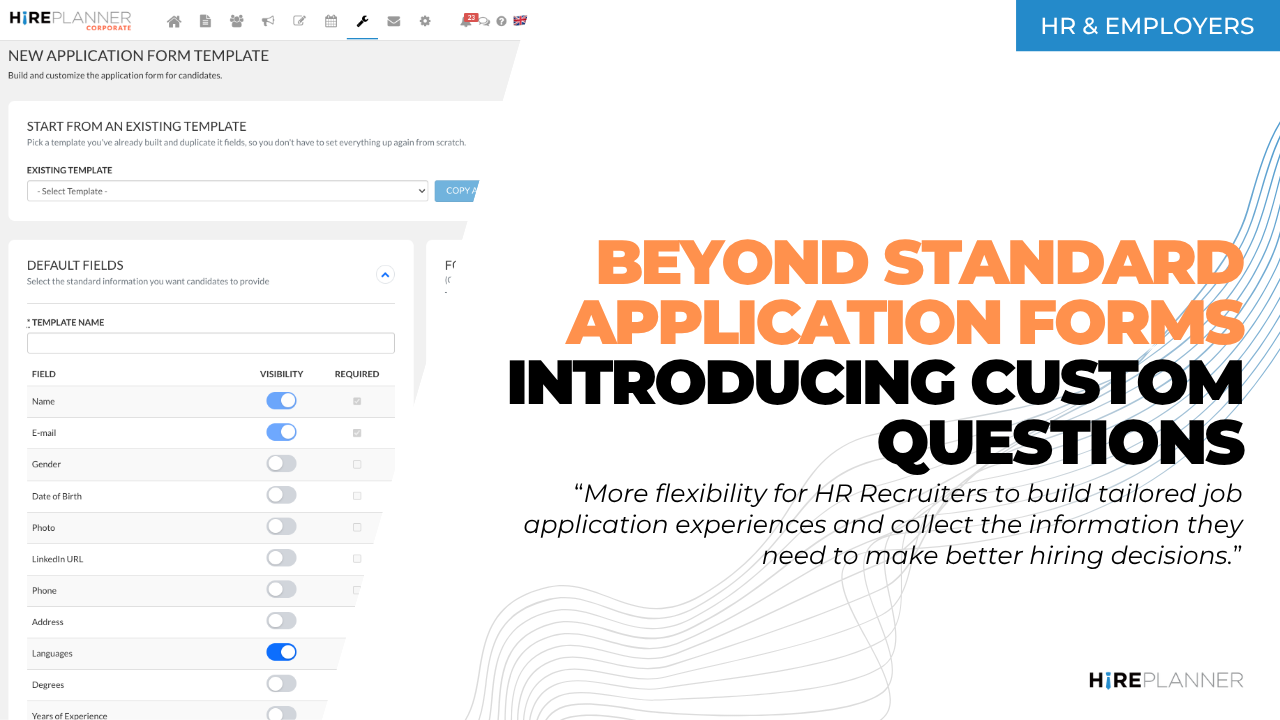
Beyond Standard Application Forms: Introducing New Customizable Questionnaires
August 26, 2026
HirePlanner is excited to introduce a major upgrade to its Application Form Template Builder, giving HR Recruiters greater flexibility to create tailored candidate application experiences and collect the information they need to make better hiring decisions.
Until now, HR Recruiters could customize their application forms by selecting from a predefined set of standard fields and choosing whether each field should be Required or Optional.
With this new release, HirePlanner takes application form customization a step further. Recruiters can now create and add their own custom questions, build bilingual questionnaires in English and Japanese, and preview the candidate experience before publishing an application form.
The new capabilities also make it easier to create, duplicate, organize, and manage application form templates, helping HR teams save time while creating more relevant and effective application experiences for candidates.
📍 Where to Find It

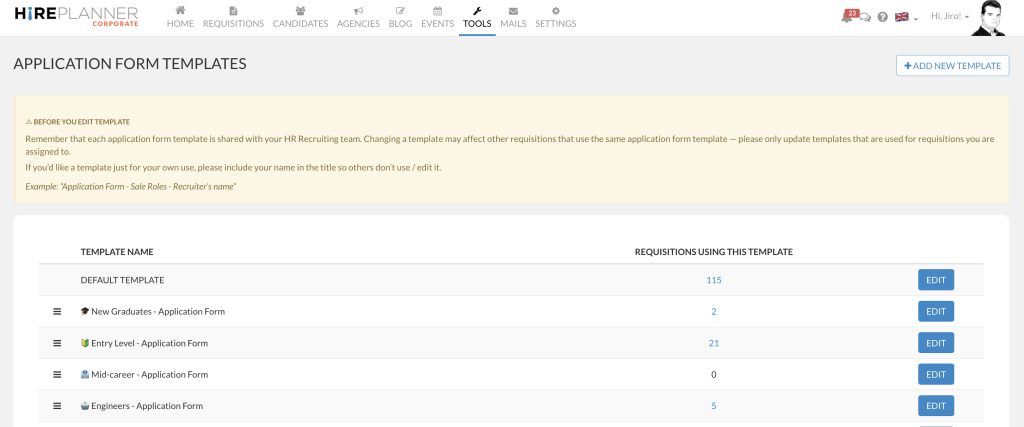
The Application Form Template Builder is available under TOOLS → Application Form Templates.
From there, you can:
– View listing of your exisiting application form templates,
– Sort / organize your application form listing
– Create new application forms
– Copy / duplicate exisiting application forms
– Customize and preview each one of your application forms and,
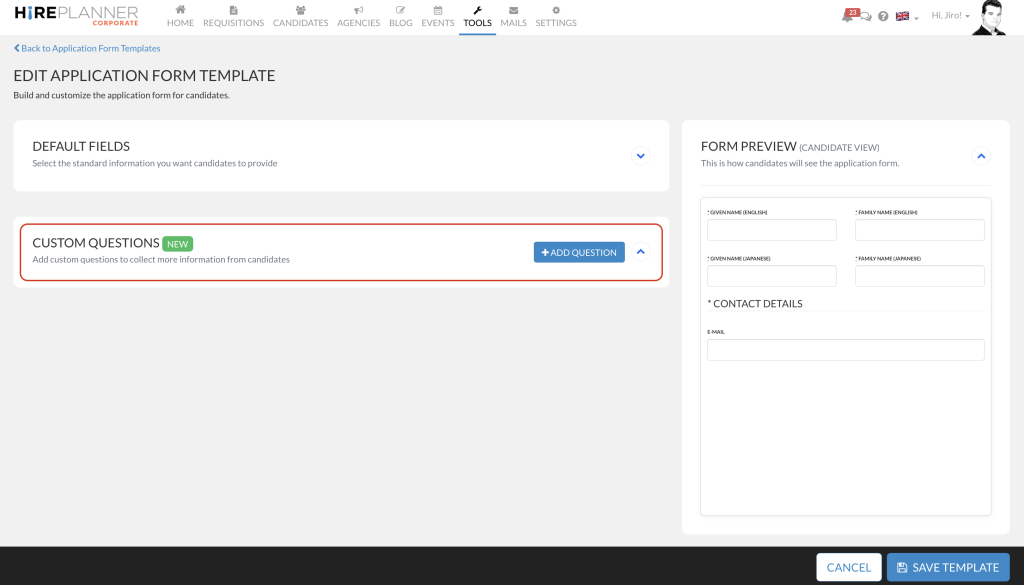
– Add custom questions to collect more specific information you need from candidates when they apply for your job postings online.
🆕 Create Your Own Custom Questions
The biggest addition in this feature release is the ability to create and include custom questions directly in your application form.
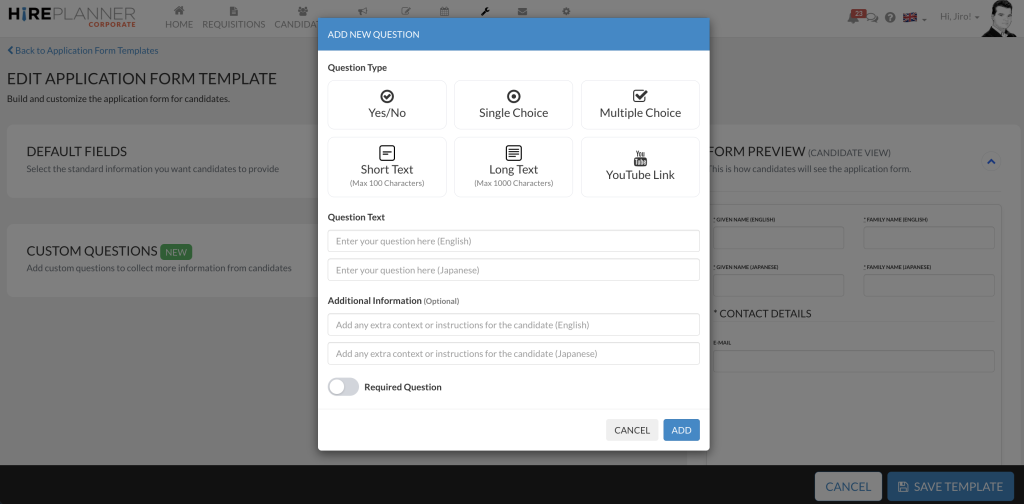
After you select (or create a new application form), you can create questions in English and Japanese, set each question as Required or Optional, and choose from six question types:
– Yes / No — for straightforward screening questions
– Single Choice — candidates select one answer
– Multiple Choice — candidates can select multiple answers
– Short Text — for concise answers, up to 100 characters
– Long Text — for more detailed responses, up to 1,000 characters
– YouTube Link — ideal for video resumes, portfolios, presentations, or other candidate videos
This gives recruiters the flexibility to ask questions specific to the position type, department or hiring manager.
🔗 Connect your application form to the requisition of your choice
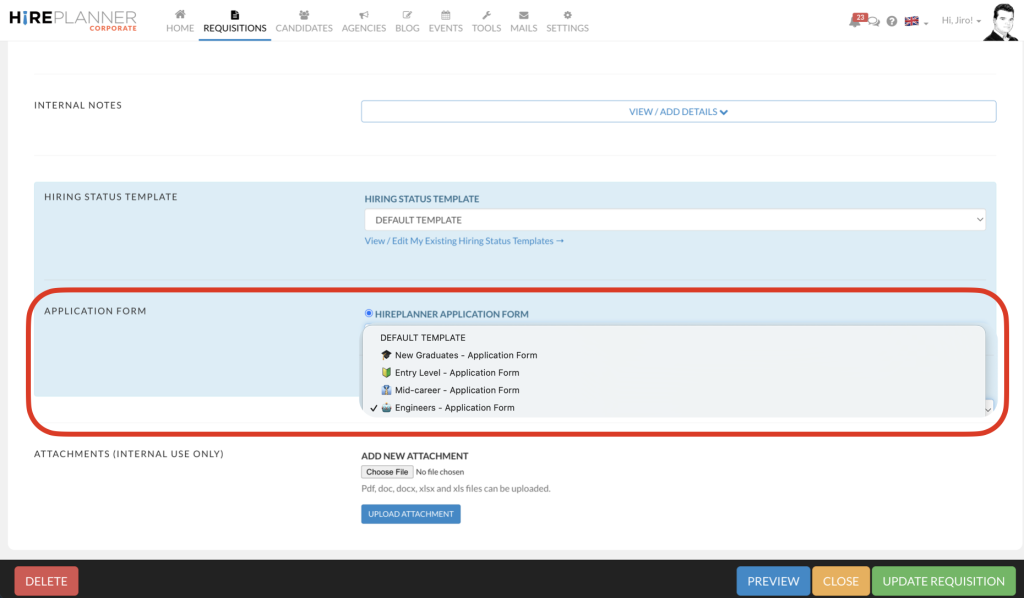
Once your application form is ready, open the requisition where you want to use it and scroll down to the Application Form section. Select your preferred application form template, and it will automatically be used when candidates apply online for that requisition.
⚙️ A Better Application Form Builder
We’ve also improved the overall Application Form Template experience to make it easier for you to create and manage your templates.
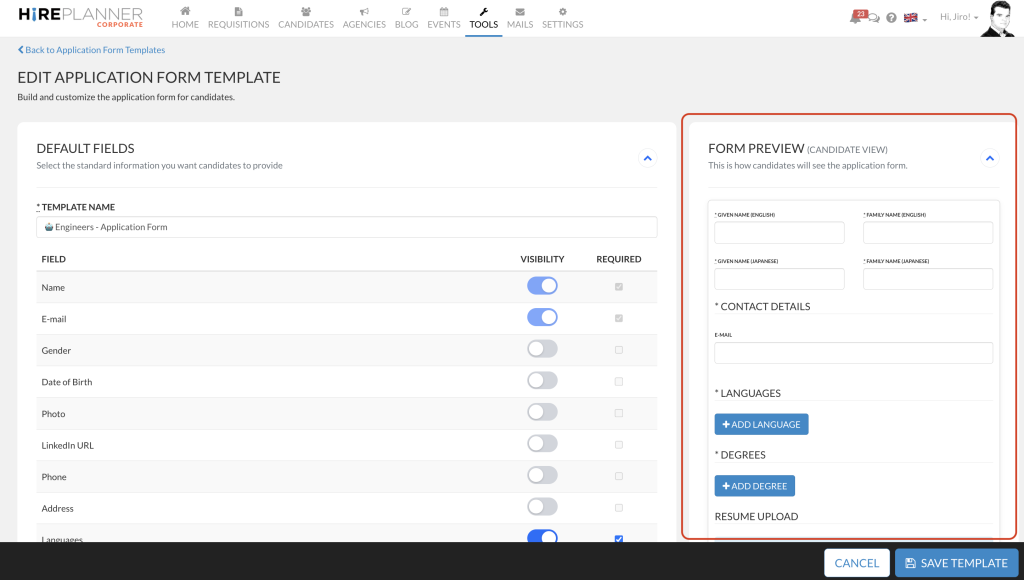
PREVIEW YOUR APPLICATION FORM
We added a new Candidate View (Form preview) so that recruiters can see how the application form will appear to candidates while they are applying for a job posting — including which fields are marked as mandatory or optional — without saving the template first to check.
EASILY DUPLICATE EXISTING TEMPLATES
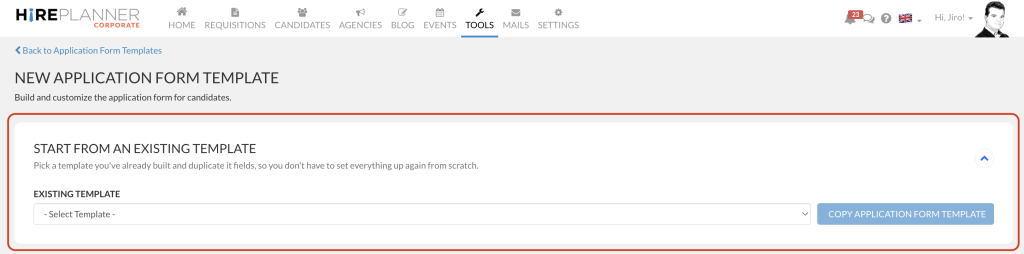
Creating a new application form no longer means creating from scratch. With “Copy Application Form Template”, you can duplicate an existing template and adjust it for a new role.
ORGANIZE YOUR APPLICATION FORM TEMPLATES
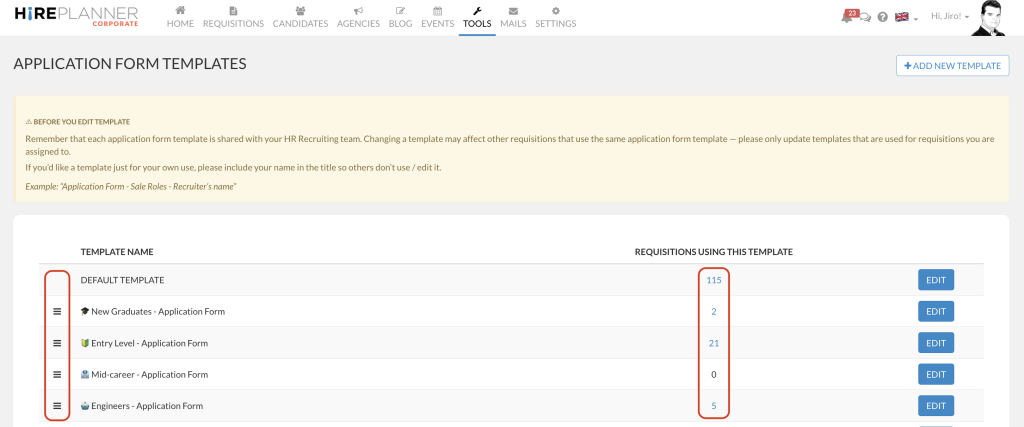
Sort and reorganize your templates however makes sense to your team. The order you set is also reflected when selecting an application form during the Requisition creation process, making the right template easier to find.
See where your templates are being used: You can now see how many requisitions are using each application form template, and click the number next to a template name to jump straight to that listing — making it easier to manage templates and understand their usage across your recruitment process.
👀 Your candidate’s “questionnaire answers” are visible on their application page, accessible to the Hiring Team
Once a candidate submits an application, their answers to your custom questions are saved with their application and visible to both the recruiter(s) responsible for the requisition and the Hiring Manager assigned to it — making it easier for your team to review and evaluate candidates using the information that matters most for each role.
ABOUT HIREPLANNER.COM
Hireplanner.com is an innovative SaaS Recruiting Advertising and Employer Branding platform designed to help companies attract top talent in Japan by boosting their visibility, improving candidate engagement, and reducing their average cost per hire. It provides a wide range of services such as Job Posting Advertising, Application Tracking (ATS), Agency Vendors Management, Online Career Events organization, Employer Branding Video Production, and more. HirePlanner.com’s HR Tech solutions are available in both English and Japanese and include all essential features needed to recruit efficiently in Japan.
👉 Learn more at: www.hireplanner.com